A 1 App Builders
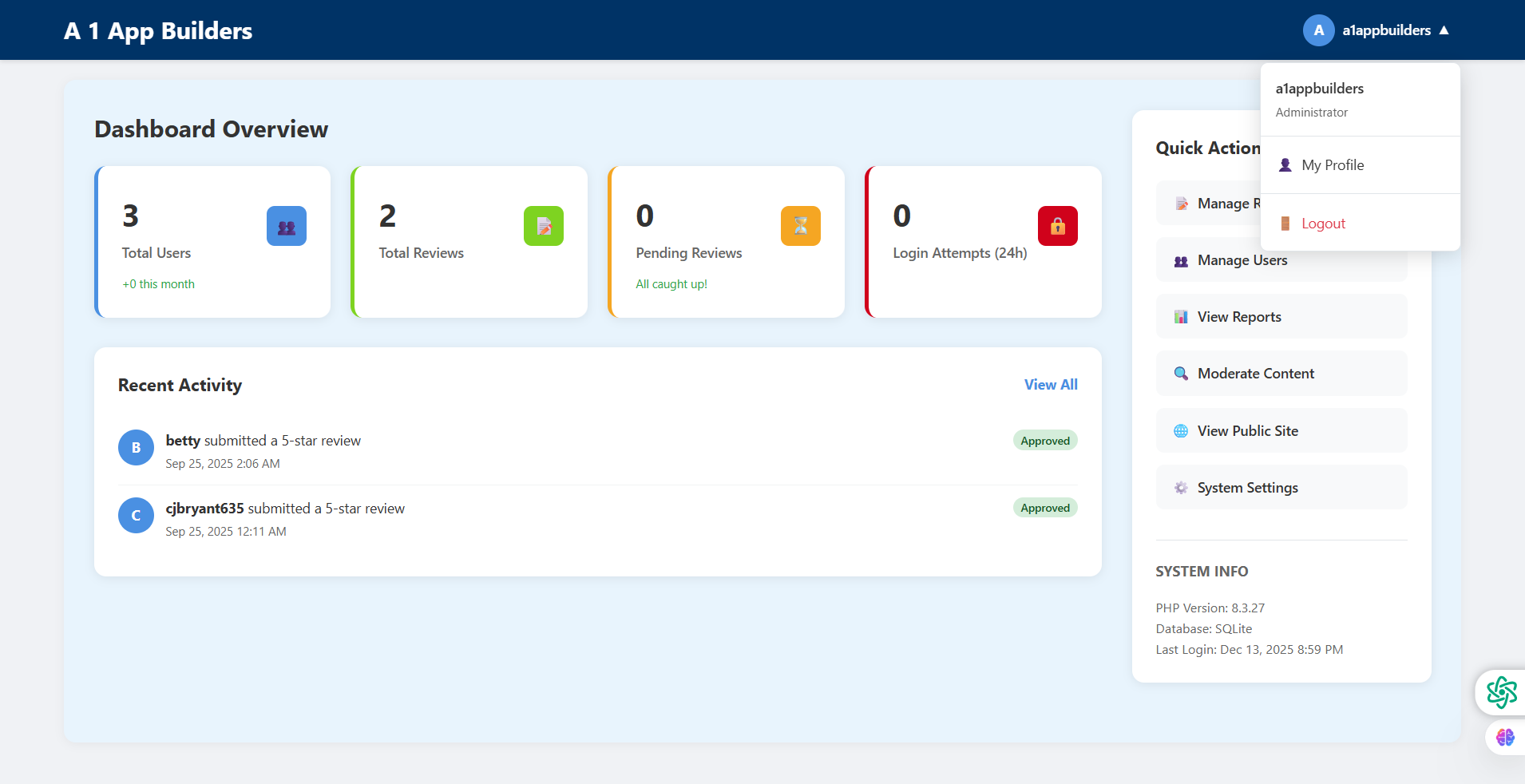
Explore the A1 App Builders Admin Dashboard Overview—the comprehensive control center providing administrators with real-time system metrics, user activity monitoring, and quick access to key management functions. This data-rich interface displays four primary statistics cards, recent review activity, and a sidebar menu with administrative tools and system information.
The layout emphasizes at-a-glance monitoring through color-coded metric cards, activity feeds showing recent user submissions, and organized navigation enabling administrators to efficiently manage the platform without overwhelming cognitive load.
🌟 Key Features:
- Top Navigation Bar: Header displaying:
- "A 1 App Builders" logo in white text on dark blue background
- User account indicator showing "a1appbuilders" with dropdown arrow
- Blue circular avatar with "A" initial
- Dropdown menu access for account management
- Dashboard Statistics Cards: Four metric displays featuring:
- Total Users (3): Blue border, user icon, "+0 this month" growth indicator
- Total Reviews (2): Green border, review icon showing submission activity
- Pending Reviews (0): Orange border, alert icon, "All caught up!" message
- Login Attempts 24h (0): Red border, lock icon for security monitoring
- Recent Activity Feed: Timeline section displaying:
- "Recent Activity" header with "View All" link
- User "betty" submitted 5-star review (Sep 25, 2025 2:06 AM) - Approved
- User "cjbryant635" submitted 5-star review (Sep 25, 2025 12:11 AM) - Approved
- Circular avatars with initials (B, C)
- Green "Approved" status badges
- Quick Actions Sidebar: Right panel menu featuring:
- User profile header "a1appbuilders" with "Administrator" role
- My Profile link with user icon
- Manage Reviews with document icon
- Logout option in red text
- Manage Users with people icon
- View Reports with chart icon
- Moderate Content with search icon
- View Public Site with globe icon
- System Settings with gear icon
- System Info Panel: Technical details showing:
- PHP Version: 8.3.27
- Database: SQLite
- Last Login: Dec 13, 2025 8:59 PM
- Essential system health indicators
- Color-Coded Metrics: Visual organization with:
- Blue for user metrics (total users)
- Green for content metrics (reviews)
- Orange for attention items (pending reviews)
- Red for security metrics (login attempts)
- Growth Indicators: Trend information including:
- "+0 this month" on Total Users card
- "All caught up!" positive confirmation on Pending Reviews
- Green status badges on approved reviews
- Time-sensitive 24h window for login attempts
💡 Why It Works
This admin dashboard excels through information hierarchy and visual organization. The four metric cards provide immediate system health status—administrators can scan in seconds to identify issues (pending reviews, unusual login attempts, user growth). Color coding leverages universal visual language: blue=informational, green=content, orange=needs attention, red=security. The "All caught up!" message on pending reviews provides positive reinforcement rather than just showing "0". The Recent Activity feed surfaces the most time-sensitive information (new reviews needing moderation) without requiring navigation. The Quick Actions sidebar consolidates all administrative functions in one persistent menu preventing endless clicking through navigation. The System Info panel provides technical context for troubleshooting. The "View All" link on Recent Activity acknowledges that not all information fits the dashboard while maintaining clean design. This layout balances comprehensive monitoring with cognitive clarity—busy administrators can assess platform health instantly while accessing detailed management tools through organized sidebar navigation.
Policy:
All upgrades are free.
This is a try-before-you-buy product; no refunds are issued after purchase.