A 1 App Builders
🔐 User Login Page
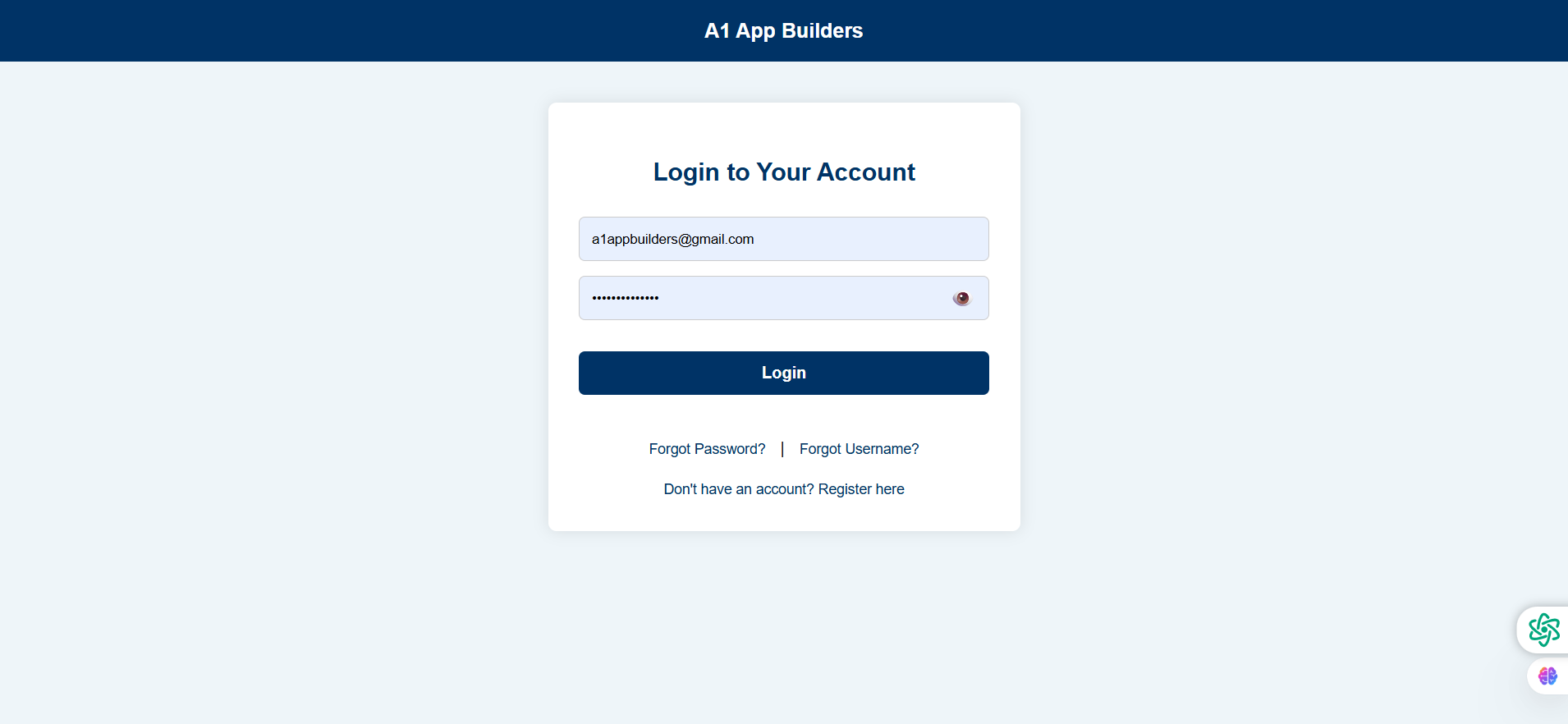
This is a clean, professional login interface that provides secure access to user accounts. The page features a centered card layout with the company branding at the top and essential authentication fields.
🔍 How It Works
- Users enter their email address in the first input field (pre-filled example: a1appbuilders@gmail.com).
- Password field includes a show/hide toggle icon (eye icon) for visibility control.
- Single "Login" button processes authentication and redirects to the user dashboard.
- Password recovery links ("Forgot Password?" | "Forgot Username?") provide account recovery options.
- New user registration link at the bottom ("Don't have an account? Register here") directs to signup page.
✨ Key Features
- Branded Header: Dark blue navigation bar (#003d6b or similar) displays "A1 App Builders" company name.
- Centered Card Design: White card with subtle shadow creates focus and modern aesthetic.
- Password Visibility Toggle: Eye icon allows users to verify their password entry.
- Account Recovery: Dual options for forgotten credentials (password and username).
- Registration Path: Clear call-to-action for new users to create accounts.
- Responsive Layout: Card adjusts to mobile devices while maintaining usability.
- Clean UI: Light blue input fields (#e8f0f8) with subtle borders for modern appearance.
🎯 Security & UX
The login page balances security with user experience, providing essential recovery options without cluttering the interface. The password masking with optional visibility ensures secure entry while reducing user error.
Policy:
All upgrades are free.
This is a try-before-you-buy product; no refunds are issued after purchase.