A 1 App Builders
Main Screen Features
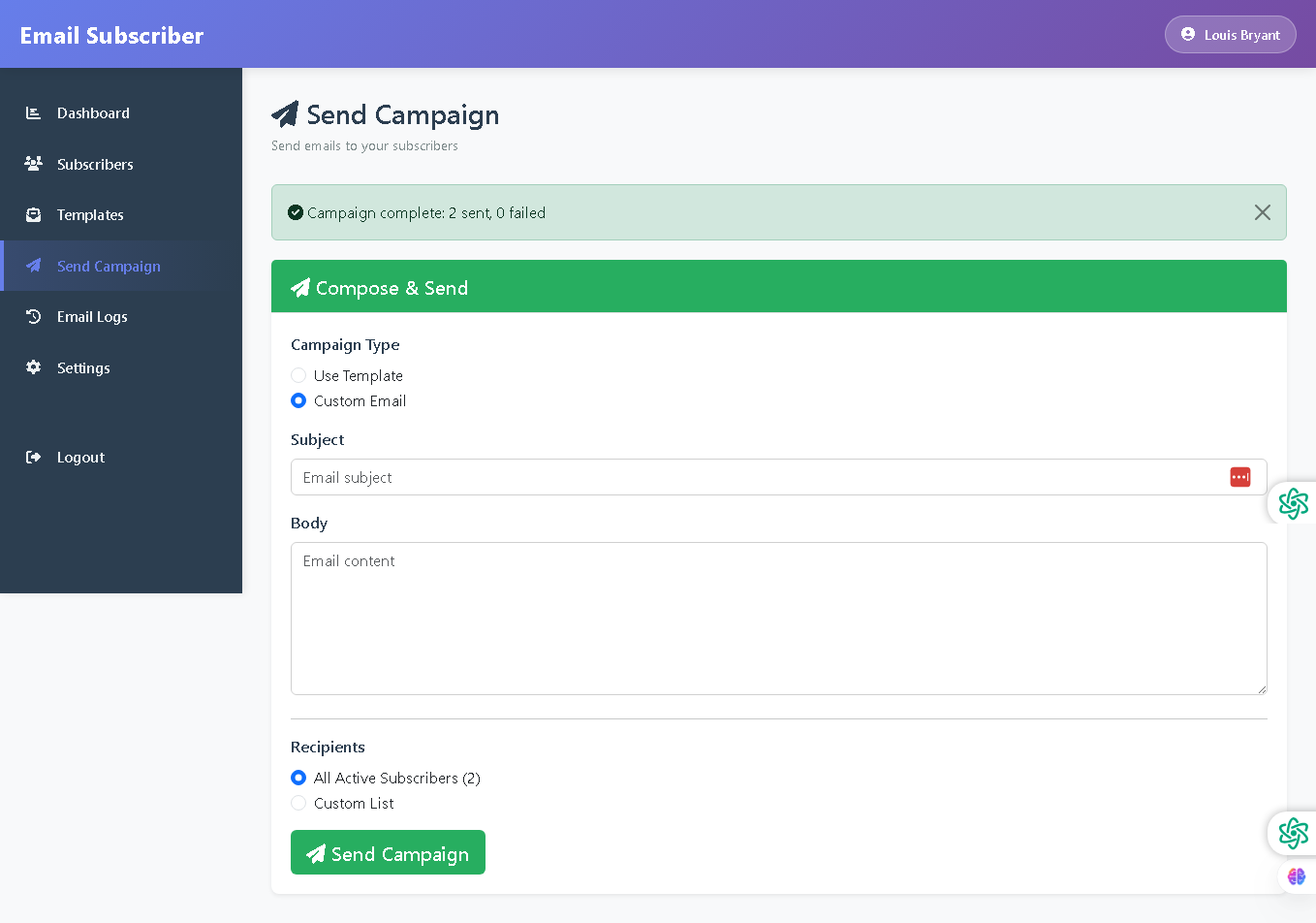
Welcome to the Send Campaign Page—your launchpad for delivering email campaigns to subscribers. This interface provides flexible campaign composition options, customizable email content, and precise recipient targeting for effective email marketing at scale.
The send campaign page is straightforward, powerful, and designed for quick campaign setup, enabling administrators to compose and distribute professional emails to targeted subscriber groups with minimal effort.
🌟 Key Features:
- Campaign Status Alert: A light green success banner displays at the top of the page showing:
- Green checkmark icon indicating successful completion
- Status message: "Campaign complete: 2 sent, 0 failed"
- White close button (X) to dismiss the alert
- Campaign Type Selection: Radio button options for flexible campaign creation:
- Use Template - Select from pre-designed email templates (currently selected)
- Custom Email - Create a one-off email from scratch
- Select Template Dropdown: A searchable dropdown menu displaying available templates with:
- Placeholder text "-- Choose Template --"
- Gray header row showing default option
- List of available templates:
- 01 Princess Rewards Barclay 3265/265/$9000
- cjbryant635@gmail.com
- Custom List option at bottom for manual template selection
- Send Campaign Button: Large green button with paper plane icon for submitting the campaign for delivery.
- Professional Layout: Clean white content area with green accent sections, organized form fields, and intuitive radio button controls for flexible campaign configuration.
💡 Why It Works
This send campaign page streamlines the email delivery process. With flexible campaign type options (template or custom), clear content fields, and intelligent recipient targeting, administrators can quickly compose professional campaigns and send them to the right subscribers—all from a single, easy-to-use interface.
Policy:
All upgrades are free.
This is a try-before-you-buy product; no refunds are issued after purchase.