A 1 App Builders
📏 Size Settings
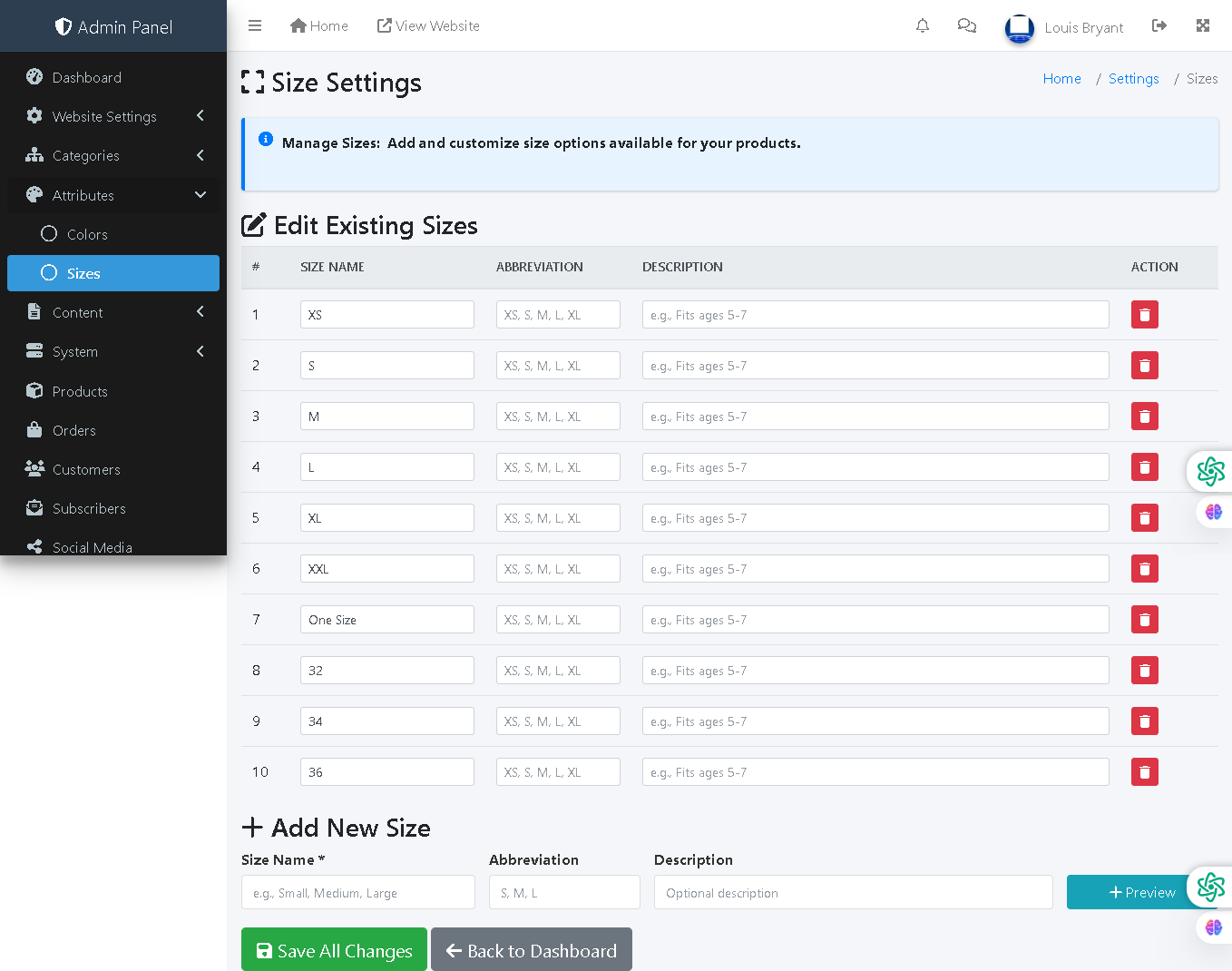
This admin panel page allows administrators to manage and customize size options available as product attributes. Sizes can include clothing dimensions (XS, S, M, L, XL, XXL), numeric measurements (32, 34, 36), or custom sizes (One Size). Each size includes an abbreviation and optional description for customer reference.
🔍 How It Works
- Edit Existing Sizes: View all currently available sizes in a table with editable fields for size names, abbreviations, and descriptions.
- Size Name: The primary size identifier (e.g., XS, S, M, L, XL, XXL, One Size, or numeric sizes like 32, 34, 36).
- Abbreviation: A shortened version of the size name used for compact display (e.g., "XS, S, M, L, XL").
- Description: Optional field to provide additional context (e.g., "Fits ages 5-7" or "Chest measurement in inches").
- Inline Editing: Modify any size details directly in the table rows.
- Add New Size: Create additional sizes using the form below with size name, abbreviation, and optional description.
- Preview Button: A "Preview" button allows administrators to verify entries before saving.
- Delete Sizes: Each row includes a red delete button to remove unused sizes.
- Save All Changes: A single "Save All Changes" button commits all edits and new entries to the database.
📊 Current Size Options
The system currently includes 10 sizes: XS, S, M, L, XL, XXL, One Size, and numeric sizes 32, 34, and 36. These cover typical apparel and shoe sizing needs.
🛍️ Product Integration
These sizes are used as product attributes during product creation/editing, allowing customers to select their preferred size when adding items to the shopping cart.
Policy:
All upgrades are free.
This is a try-before-you-buy product; no refunds are issued after purchase.