A 1 App Builders
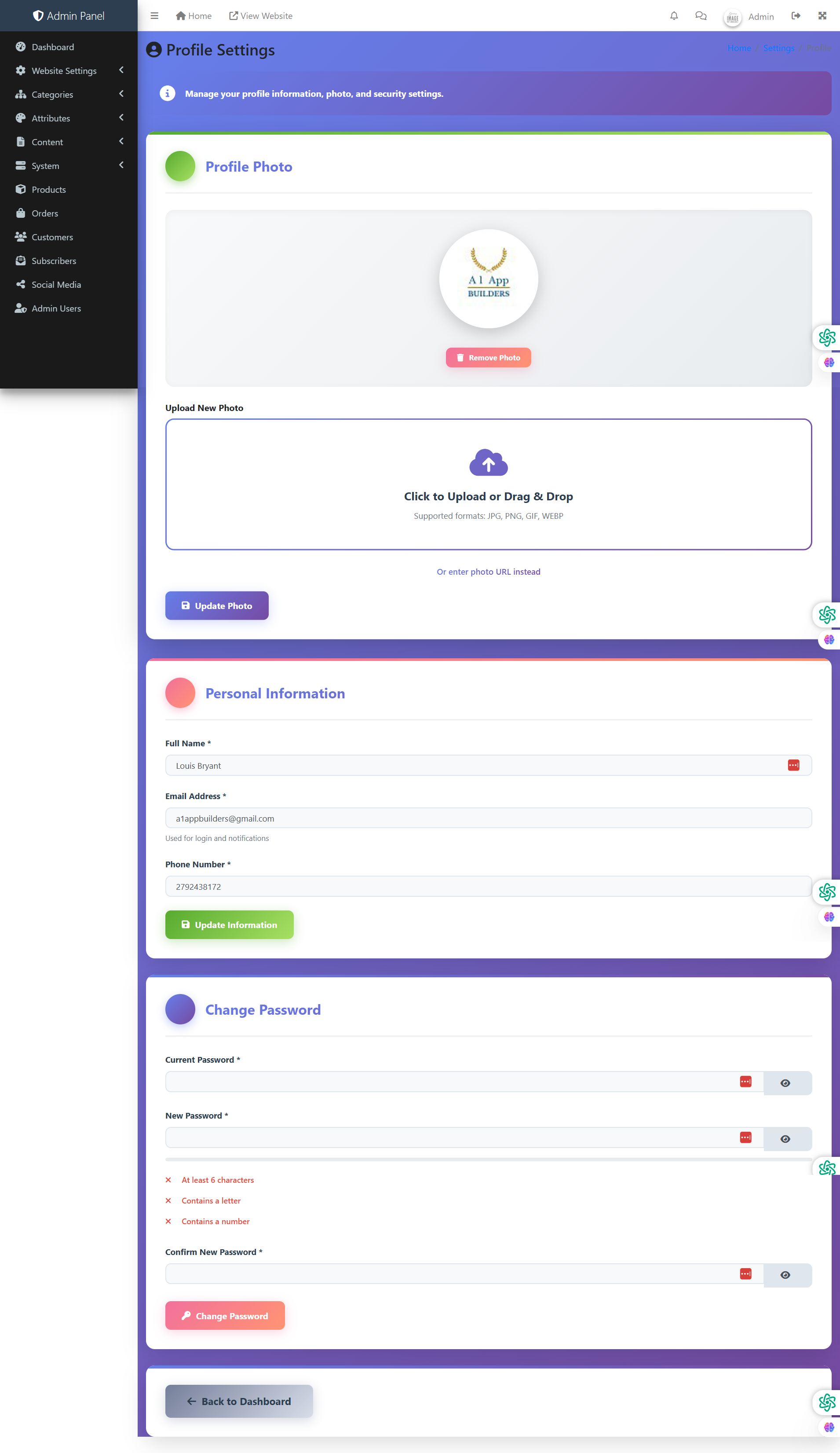
👤 Profile Settings
This admin panel page allows administrators to manage their personal profile information, including profile photo, contact details, and account security. Administrators can update personal information, change passwords with security requirements, and manage their account identity within the admin panel.
🔍 How It Works
- Profile Photo Section: Upload or change the administrator's profile picture for identification purposes.
- Current Photo Display: Shows existing profile photo with option to remove or replace.
- Remove Photo Button: Red button to delete the current profile picture and revert to default avatar.
- Upload New Photo: Click to upload or drag-and-drop a new profile image.
- Supported Formats: JPG, PNG, GIF, WEBP image files supported.
- Photo URL Alternative: Enter an external photo URL instead of uploading locally.
- Update Photo Button: Blue button to save photo changes.
- Personal Information Section: Edit core profile details.
- Full Name: Administrator's complete name as displayed in the system.
- Email Address: Primary email used for login and system notifications.
- Phone Number: Contact phone for administrative communications.
- Update Information Button: Green button to save personal information changes.
- Change Password Section: Secure password update with validation requirements.
- Current Password: Verify identity by entering existing password before changing.
- New Password: Enter desired new password with visibility toggle.
- Password Requirements: Display requirements (minimum 6 characters, at least one letter, at least one number).
- Confirm New Password: Re-enter new password to ensure accuracy.
- Change Password Button: Red button to apply password change after validation.
🔒 Security Features
Password requirements enforce strong security standards with minimum length, character diversity, and confirmation validation. Eye toggle icons allow password visibility verification before submission to prevent typos.
👤 Current Profile
Administrator: Louis Bryant with email a1appbuilders@gmail.com and phone 2792438172. Profile photo displays the A1 App Builders logo for identification.
Policy:
All upgrades are free.
This is a try-before-you-buy product; no refunds are issued after purchase.