A 1 App Builders
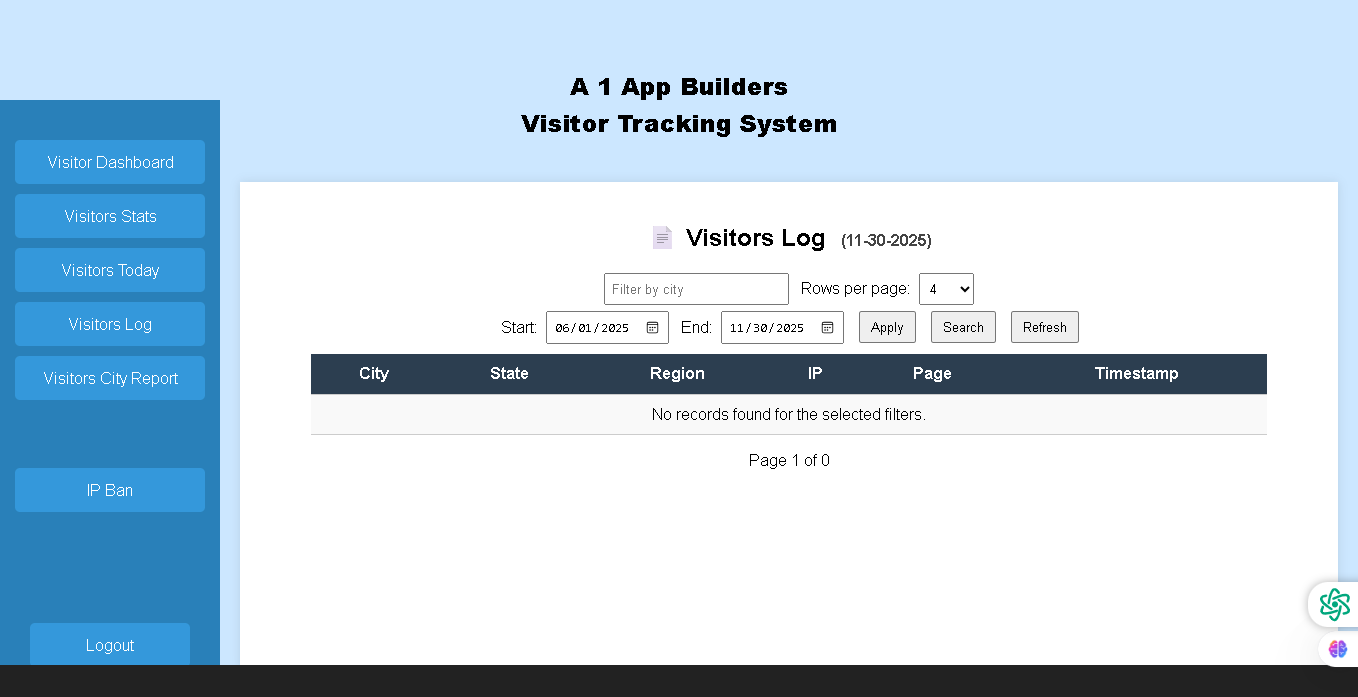
📝Comprehensive Visitors Log with Filters
An advanced logging interface displaying detailed visitor records with powerful filtering and search capabilities. This feature allows administrators to query and analyze visitor data across specific date ranges and locations.
Key Components
- Section Header: "Visitors Log (11-30-2025)" with document icon
- Search Filters: City filter field for location-based searches
- Pagination Control: "Rows per page" dropdown (set to 4 rows)
- Date Range Selection: Start date (06/01/2025) and End date (11/30/2025) with calendar pickers
- Action Buttons: Apply, Search, and Refresh buttons for query execution
- Data Table Columns: City, State, Region, IP, Page, and Timestamp
- Empty Results Message: "No records found for the selected filters"
- Pagination: Page 1 of 0 indicator
Filtering Capabilities
- By City: Filter visitor records by specific city location
- By Date Range: Select custom start and end dates for analysis
- Rows Per Page: Adjust pagination size from dropdown menu
- Multi-Field Search: Query across city, state, region, IP address, and page fields
Table Columns Explained
- City: Visitor's geographic city location
- State: Visitor's state or province
- Region: Broader geographic region classification
- IP: Internet Protocol address of the visitor
- Page: Specific webpage or page visited
- Timestamp: Exact date and time of the visit
Functionality
- Provides detailed visitor activity logs with comprehensive metadata
- Enables advanced querying with multiple filter options
- Supports data export and analysis capabilities
- Allows administrators to track individual visitor journeys
- Helps identify suspicious activity patterns or geographic anomalies
Policy:
All upgrades are free.
This is a try-before-you-buy product; no refunds are issued after purchase.