A 1 App Builders
Main Screen Features
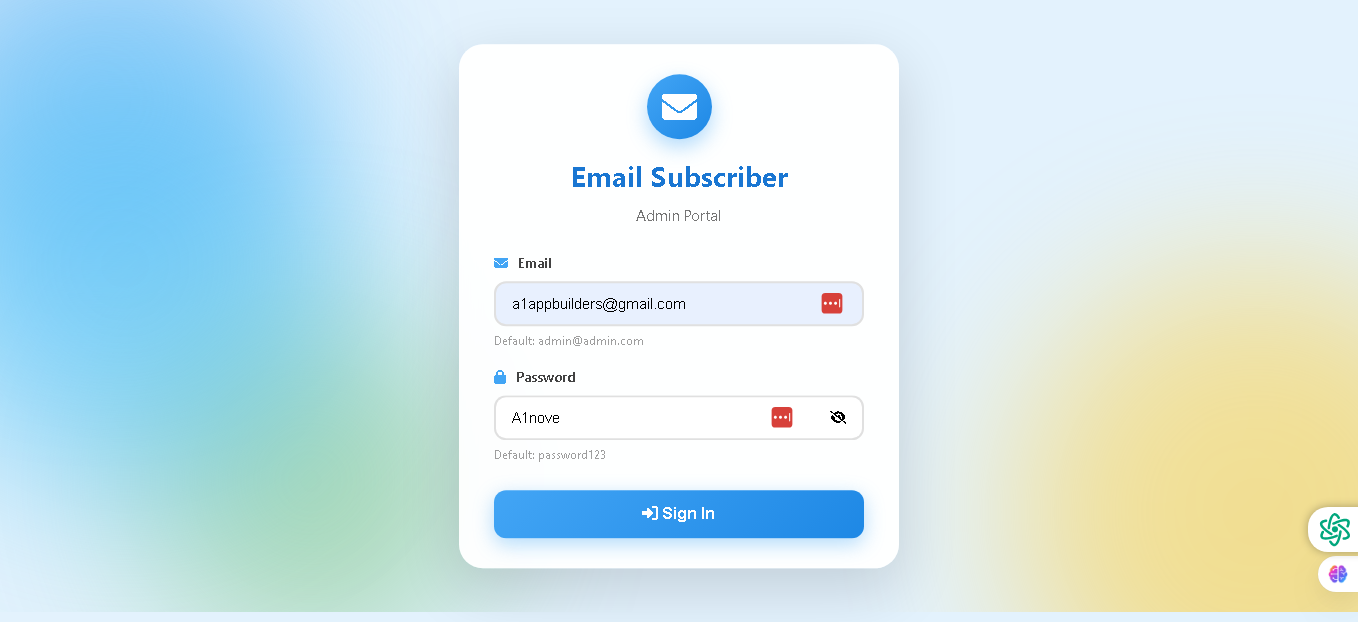
Welcome to the Email Subscriber Admin Portal—your secure gateway to manage email campaigns and subscriber lists. This login interface provides quick and secure access to powerful email management tools.
The login screen is clean, modern, and designed for immediate authentication, giving administrators a professional and trustworthy entry point to the system.
🌟 Key Features:
- Bold Branding: The Email Subscriber icon and title are prominently displayed at the top for easy recognition.
- Admin Portal Identification: Clear labeling identifies this as the Admin Portal section of the system.
- Secure Login Form: Each input field includes:
- Email field with default placeholder (admin@admin.com)
- Password field with visibility toggle button
- Clear icons indicating field type and purpose
- Red delete/clear buttons for easy field management
- Password Security: A sophisticated eye icon toggle allows users to switch between hidden and visible password states. When clicked, the icon changes from an open eye (showing password as plain text) to a crossed-out eye (hiding password characters), providing users with full control over their input visibility while maintaining security. This dual-state icon makes password management intuitive and user-friendly.
- Call-to-Action Button: A large blue "Sign In" button with an arrow icon provides clear direction for login submission.
- Professional Design: A light blue gradient background with white login panel and blue accents creates a trustworthy and modern appearance.
- Credential Hints: Default values displayed below each field guide users toward successful authentication.
💡 Why It Works
This login interface is designed for quick access without sacrificing security. With clear field labels, helpful defaults, and intuitive controls, administrators can authenticate efficiently while maintaining data protection standards.
Policy:
All upgrades are free.
This is a try-before-you-buy product; no refunds are issued after purchase.