A 1 App Builders
Main Screen Features
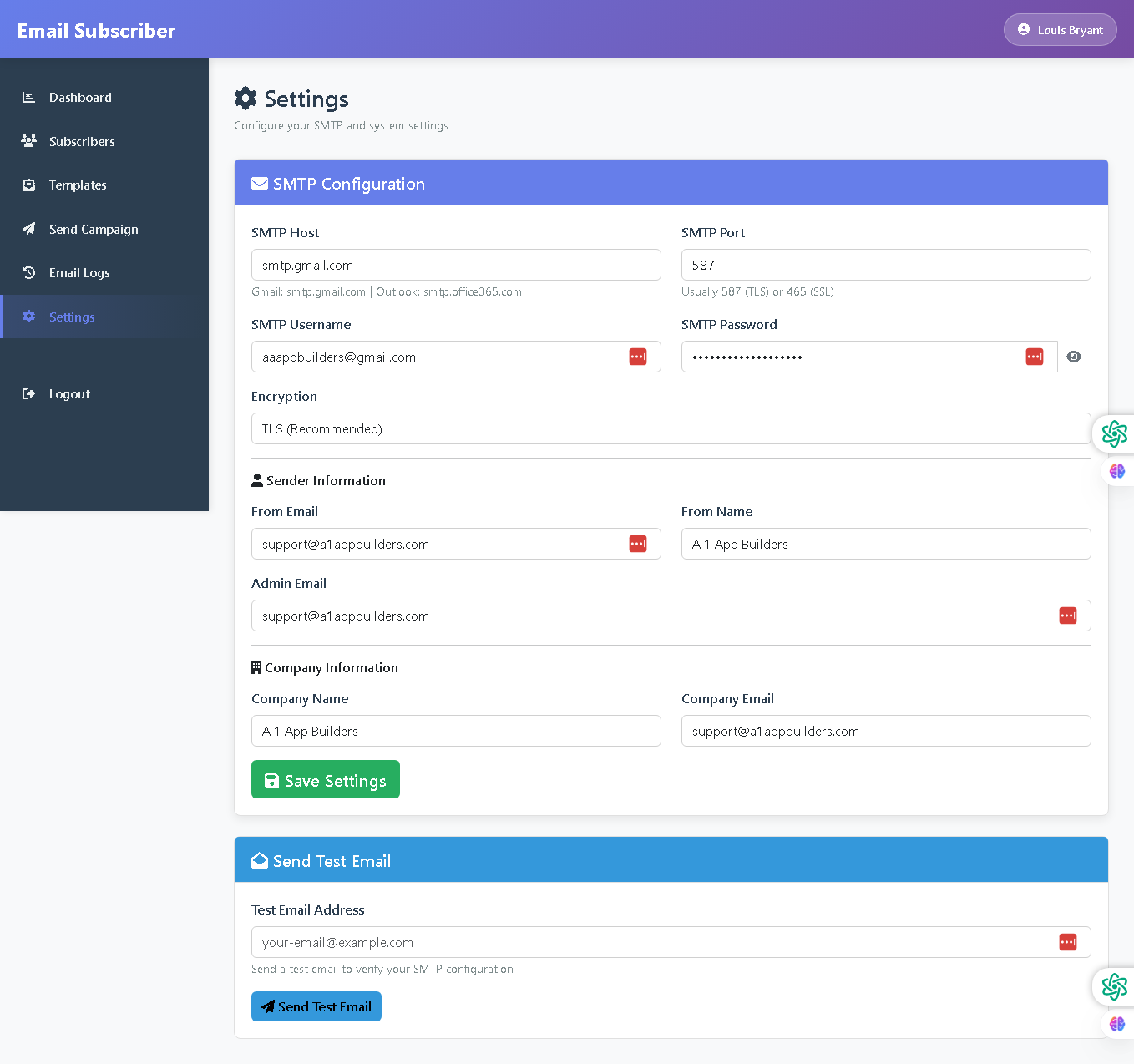
Welcome to the Settings Page—your control center for system configuration and SMTP setup. This interface provides comprehensive settings for email delivery infrastructure, sender information, company details, and test functionality to ensure proper system operation.
The settings page is detailed, organized, and designed for complete system configuration, enabling administrators to customize email delivery settings, sender information, and company branding all in one centralized location.
🌟 Key Features:
- SMTP Configuration Section: Blue header bar with envelope icon for email delivery setup containing:
- SMTP Host field - Email server address with examples (Gmail: smtp.gmail.com | Outlook: smtp.office365.com) and red clear button
- SMTP Port field - Server port number (typically 587 for TLS or 465 for SSL) and red clear button
- SMTP Username field - Authentication email address with red clear button
- SMTP Password field - Hidden password with eye icon for visibility toggle and red clear button
- Encryption dropdown - Security protocol selection (TLS Recommended)
- Sender Information Section: User icon header containing:
- From Email field - Sender email address with red clear button
- From Name field - Sender display name
- Admin Email field - Administrator contact email with red clear button
- Company Information Section: Building icon header containing:
- Company Name field - Organization name
- Company Email field - Official company contact email
- Save Settings Button: Green button with disk icon for persisting all configuration changes.
- Send Test Email Section: Blue header bar with envelope icon for testing SMTP configuration containing:
- Test Email Address field - Recipient email address with red clear button
- Helper text explaining test email purpose
- Blue "Send Test Email" button with paper plane icon for sending verification email
- Professional Layout: Clean white content area with color-coded sections (blue and green headers), organized form fields, and clear button hierarchy for intuitive settings management.
💡 Why It Works
This settings page centralizes all critical configuration options. Organized sections group related settings logically, detailed field examples guide proper SMTP configuration, helper text explains technical requirements, and the test email feature allows immediate verification of settings before relying on them for production campaigns—ensuring reliable email delivery from the start.
Policy:
All upgrades are free.
This is a try-before-you-buy product; no refunds are issued after purchase.