A 1 App Builders
Main Screen Features
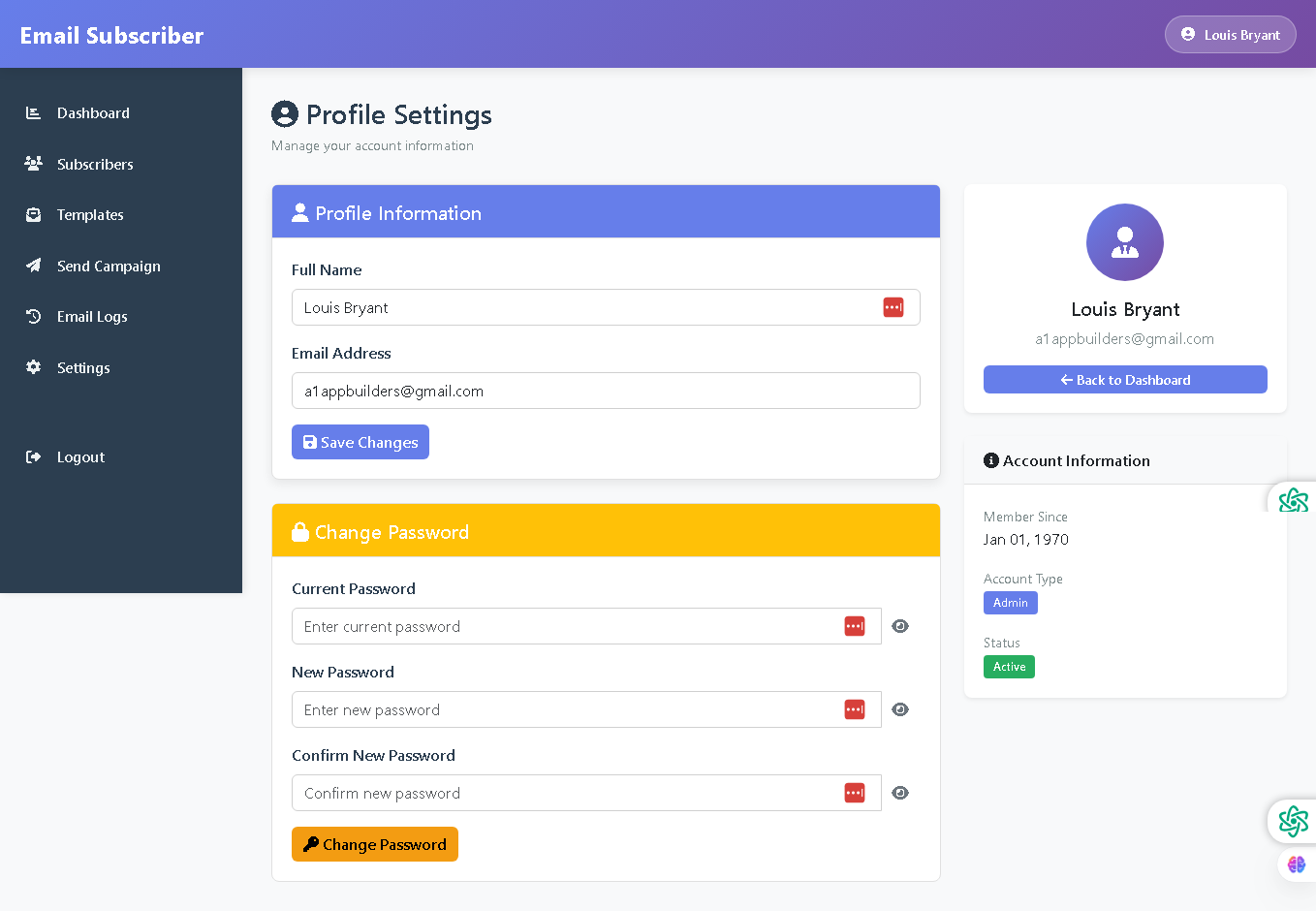
Welcome to the Profile Settings Page—your personal account management center. This interface allows administrators to manage account information, update profile details, change security credentials, and view account status information in one organized location.
The profile settings page is user-focused, secure, and designed for easy account management, giving administrators control over their personal information, login credentials, and account details.
🌟 Key Features:
- Profile Information Section: Blue header bar with user icon containing:
- Full Name field displaying current name "Louis Bryant" with red clear button
- Email Address field showing account email "a1appbuilders@gmail.com"
- Blue "Save Changes" button with disk icon to persist profile updates
- Change Password Section: Yellow header bar with lock icon for security management containing:
- Current Password field with placeholder and eye icon toggle for visibility with red clear button
- New Password field with placeholder and eye icon toggle for visibility with red clear button
- Confirm New Password field with placeholder and eye icon toggle for visibility with red clear button
- Orange "Change Password" button with wrench icon for updating credentials
- User Profile Card: Right-side panel displaying:
- Large purple circular avatar with user icon
- Full name display "Louis Bryant"
- Email address "a1appbuilders@gmail.com"
- Blue "Back to Dashboard" button with back arrow for navigation
- Account Information Panel: Right-side section showing:
- Member Since date "Jan 01, 1970"
- Account Type badge "Admin" (blue)
- Status badge "Active" (green)
- Professional Layout: Clean white left panel with color-coded sections (blue and yellow headers), organized form fields, and a detailed right sidebar with profile summary and account metadata.
💡 Why It Works
This profile settings page puts account management at your fingertips. Organized sections separate personal information updates from security changes, password visibility toggles provide user-friendly credential entry, and the right-side account summary gives instant visibility into membership status and account type—enabling quick profile management while maintaining account security.
Policy:
All upgrades are free.
This is a try-before-you-buy product; no refunds are issued after purchase.