A 1 App Builders
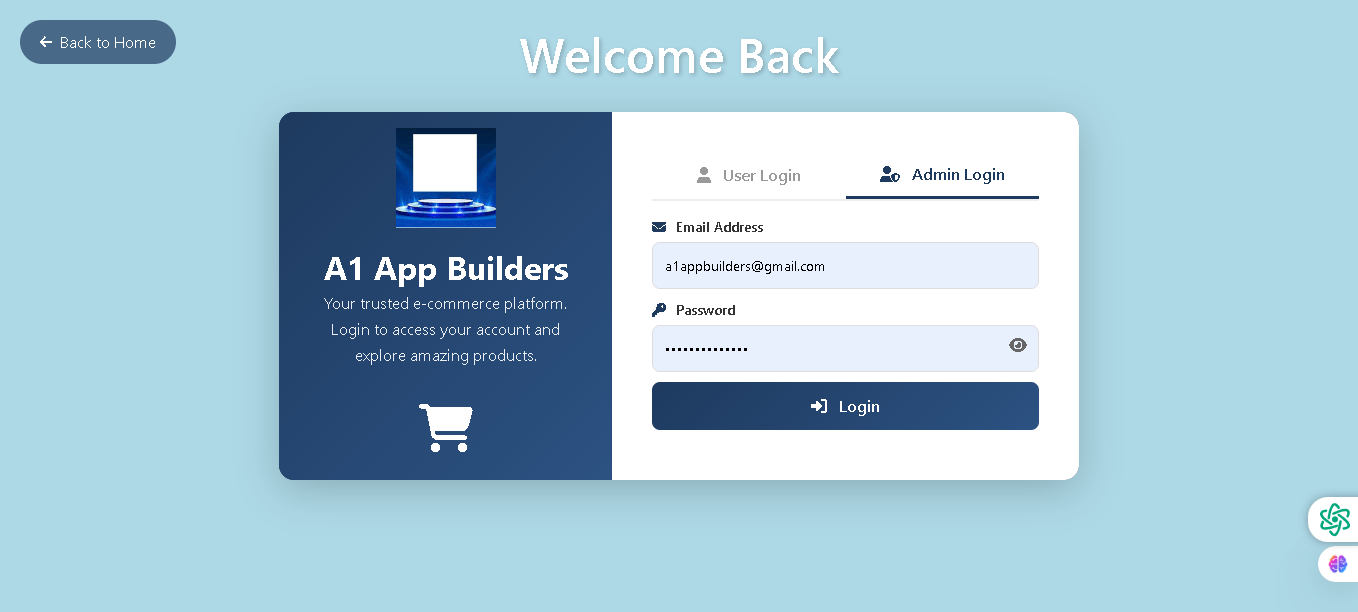
Welcome to the A1 App Builders Admin Login Section—a secure authentication gateway for administrative staff and management users accessing the backend control panel. This interface provides role-based access separation from standard customer login, enabling designated administrators to manage products, orders, customers, and platform operations.
The layout mirrors the customer login interface but provides dedicated Admin Login tab functionality, maintaining consistent branding while establishing clear security boundaries between customer and administrative access levels.
🌟 Key Features:
- Navigation Header: A "Back to Home" button in the top-left corner allows quick return to the main storefront for non-administrative users.
- Page Title: "Welcome Back" displayed in large white text creates a personalized greeting for returning administrators.
- Left Panel - Brand Identity: A dark navy blue section showcases:
- A1 App Builders logo with gold accents and blue holographic styling
- Company name in bold white text
- Brand tagline: "Your trusted e-commerce platform. Login to access your account and explore amazing products."
- Shopping cart icon symbolizing commerce and platform operations
- Right Panel - Admin Authentication: A clean white form section featuring:
- Tab Navigation: Two distinct login tabs:
- "User Login" tab for standard customer access (inactive)
- "Admin Login" tab highlighted in dark navy indicating active admin section (active)
- Role-Based Separation: Clear visual distinction between customer and administrative authentication pathways
- Tab Navigation: Two distinct login tabs:
- Admin Login Form: Two essential authentication fields:
- Email Address: Pre-filled with example "a1appbuilders@gmail.com" for demonstration
- Password: Masked secure field with eye icon for visibility toggle and verification
- Password Management: An eye icon on the password field enables:
- Show/hide password functionality
- User verification without compromising security
- Confidence in credential entry accuracy
- Admin-Specific Security: The dedicated Admin Login tab indicates:
- Separate authentication pathway from customer accounts
- Role-based access control mechanisms
- Enhanced security protocols for administrative access
- Call-to-Action Button: A prominent dark blue "Login" button with lock icon drives administrative authentication and backend access.
- Tab Structure: Clear tabbed interface allows users to quickly switch between:
- Customer/User Login pathway
- Administrative/Staff Login pathway
- Visual Hierarchy: Light blue background, dark navy left panel, white form panel, and dark blue buttons maintain consistent design language while establishing admin-specific context through tab selection.
💡 Why It Works
This admin login section protects platform security through clear role-based separation, ensuring that administrative access is distinct from customer authentication. The tabbed interface provides intuitive switching between customer and admin pathways without confusing users. The pre-filled email and masked password demonstrate the admin credentials being used, reducing confusion about account context. The eye icon on the password field enhances security confidence without sacrificing usability. The dedicated Admin Login tab—visually distinct with dark navy underline—immediately signals to users that they're accessing restricted administrative functions. This clear separation of concerns protects the platform from unauthorized access while providing legitimate administrators with a familiar, streamlined authentication experience. The consistent branding maintains security through professional presentation rather than suspicious unfamiliar interfaces that might trigger user hesitation during critical admin login moments.
Policy:
All upgrades are free.
This is a try-before-you-buy product; no refunds are issued after purchase.