A 1 App Builders
🛎️ Service Settings
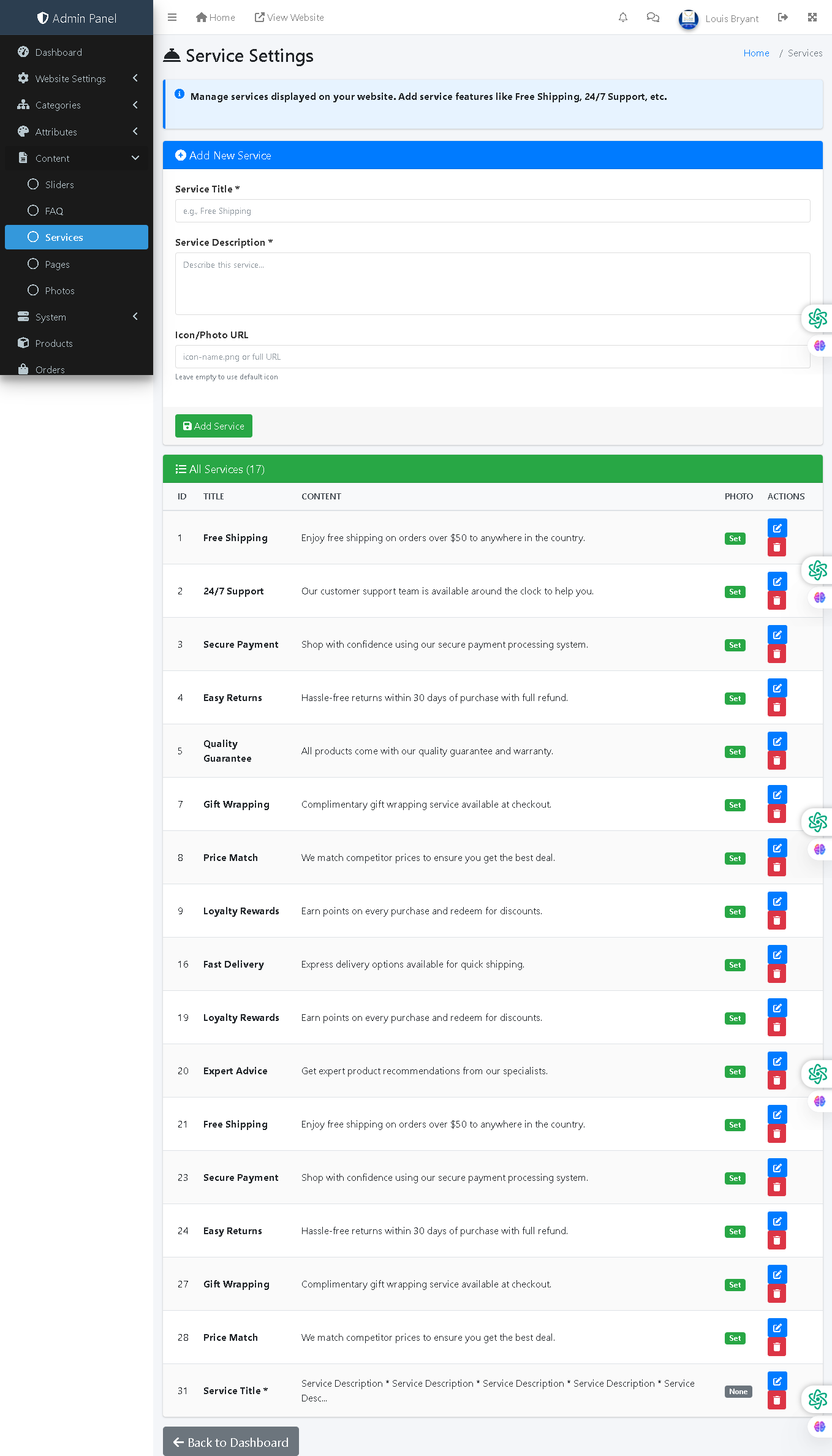
This admin panel page allows administrators to manage service features displayed on the website. Services highlight key benefits and differentiators (e.g., Free Shipping, 24/7 Support, Secure Payment) that build customer trust and encourage purchases by showcasing what makes the store unique.
🔍 How It Works
- Add New Service: Create a service feature by entering a title, description, and optional icon/photo URL.
- Service Title: The name of the service (e.g., "Free Shipping", "24/7 Support", "Secure Payment").
- Service Description: Detailed explanation of the service benefit (e.g., "Enjoy free shipping on orders over $50 to anywhere in the country").
- Icon/Photo URL: Optional custom icon or image URL to visually represent the service. Leave empty to use default icon.
- View All Services: Displays a comprehensive table of all existing services with titles, descriptions, visibility status, and action buttons.
- Photo Column: Shows whether a custom icon is assigned (Set) or uses default icon.
- Edit Services: Click the blue "Edit" button to modify any service details.
- Delete Services: Click the red "Delete" button to remove services no longer relevant.
- Visibility Toggle: Each service shows "Set" status indicating it's active on the frontend.
📊 Current Services
The system currently includes 17 active services: Free Shipping, 24/7 Support, Secure Payment, Easy Returns, Quality Guarantee, Gift Wrapping, Price Match, Loyalty Rewards, Fast Delivery, Expert Advice, and duplicate entries for some services.
🎯 Frontend Display
Services are typically displayed as trust-building badges or cards on the homepage and product pages, helping customers understand key advantages and building confidence in the store's credibility and customer-first approach.
Policy:
All upgrades are free.
This is a try-before-you-buy product; no refunds are issued after purchase.