A 1 App Builders
📄 Page Settings
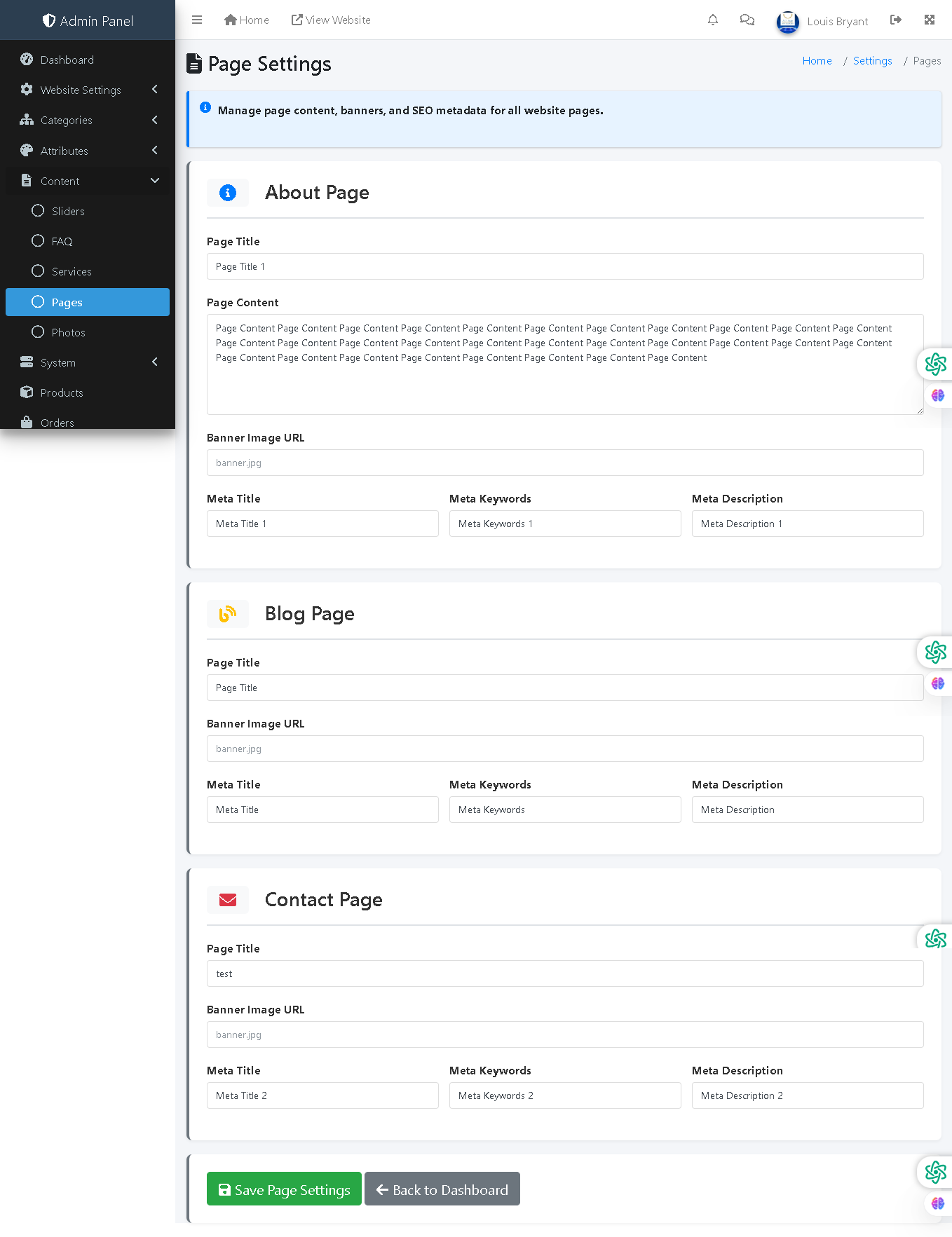
This admin panel page allows administrators to manage content, banners, and SEO metadata for all website pages. Each page can be customized with unique titles, content, banner images, and search engine optimization (SEO) metadata to improve discoverability and user experience.
🔍 How It Works
- Multiple Page Management: Manage settings for different pages (About, Blog, Contact, etc.) from a single interface.
- Page Title: The main heading displayed on the page and used in browser tabs.
- Page Content: Full text content describing the page purpose and information.
- Banner Image URL: Upload or link a header image displayed at the top of the page.
- Meta Title: SEO title tag (appears in search results and browser tabs, typically 50-60 characters).
- Meta Keywords: Comma-separated keywords for search engine indexing and relevance.
- Meta Description: Brief description displayed in search results (typically 150-160 characters).
- Page Icons: Visual identifiers for different page types (e.g., info icon for About, blog icon for Blog, envelope for Contact).
- Save Page Settings: Commits all changes across all managed pages to the database.
📋 Current Pages
The system currently manages three pages: About Page (with content and SEO metadata), Blog Page (for blog content management), and Contact Page (with contact form and SEO optimization).
🔎 SEO Optimization
Meta tags improve search engine visibility and click-through rates. Proper titles, keywords, and descriptions help potential customers find the site through organic search, increasing traffic and improving brand visibility in search results.
Policy:
All upgrades are free.
This is a try-before-you-buy product; no refunds are issued after purchase.