A1 App Builders
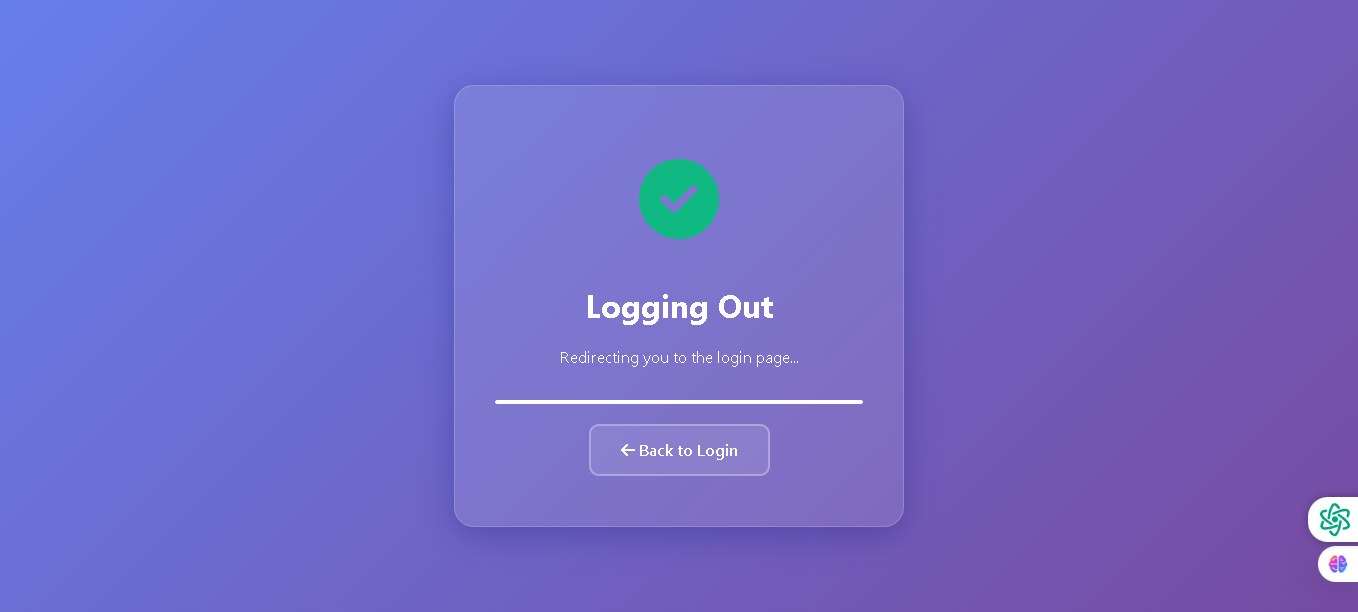
Welcome to the A1 App Builders Logout Page—a session termination confirmation interface that safely ends user authentication while providing clear feedback and navigation options. This page communicates the logout process to users, ensures session security, and offers a seamless path back to the login interface for future access.
The layout features a centered modal card on a gradient purple background with success confirmation, status messaging, progress indication, and an action button—creating a professional, reassuring logout experience that protects user security.
🌟 Key Features:
- Background Design: A vibrant gradient purple background (ranging from blue to deeper purple) creates visual separation from standard page content and emphasizes the critical logout action.
- Modal Card Container: A centered semi-transparent rounded box with:
- Subtle border outline for definition
- Translucent background allowing gradient visibility
- Professional card-style presentation
- Success Confirmation Icon: A bright green circular checkmark positioned at the top center of the modal:
- Indicates successful logout completion
- Provides positive visual feedback
- Builds user confidence in session termination
- Primary Heading: "Logging Out" displayed in large white text:
- Communicates the current action clearly
- Maintains user orientation during transition
- Status Message: "Redirecting you to the login page..." in smaller white text:
- Sets expectations for automatic redirection
- Explains upcoming navigation behavior
- Provides transparency about session handling
- Progress Indicator: A horizontal white progress bar:
- Visualizes logout process completion
- Indicates automatic redirection in progress
- Reduces anxiety during session termination
- Suggests loading or processing activity
- Navigation Button: "Back to Login" button with back arrow:
- Provides manual control for immediate return to login
- Prevents user confusion during redirection delay
- Enables quick re-authentication if needed
- White text on semi-transparent background with border outline
- Color Scheme: Purple gradient background with white text, green checkmark, and semi-transparent modal create a cohesive, modern aesthetic that emphasizes security and finality.
- Security Messaging: The combination of checkmark, "Logging Out" text, and progress bar communicates that the session is being securely terminated rather than abandoned.
💡 Why It Works
This logout page transforms what could be a confusing transition into a reassuring, professional experience through clear messaging and visual feedback. The green checkmark immediately communicates successful logout, building user confidence that their session has ended properly. The "Redirecting you to the login page..." message sets expectations for automatic navigation while the progress bar visualizes the process, reducing user anxiety during the transition. The centered modal card with gradient background creates visual distinction from regular site pages, signaling that a significant action has occurred. The "Back to Login" button provides manual control for users who don't want to wait for automatic redirection. This combination of success confirmation, clear messaging, visual progress indication, and action alternatives creates a logout experience that prioritizes user security awareness while maintaining smooth navigation flow. The professional design reinforces brand trust even during account exit.
Policy:
All upgrades are free.
This is a try-before-you-buy product; no refunds are issued after purchase.