A1 App Builders
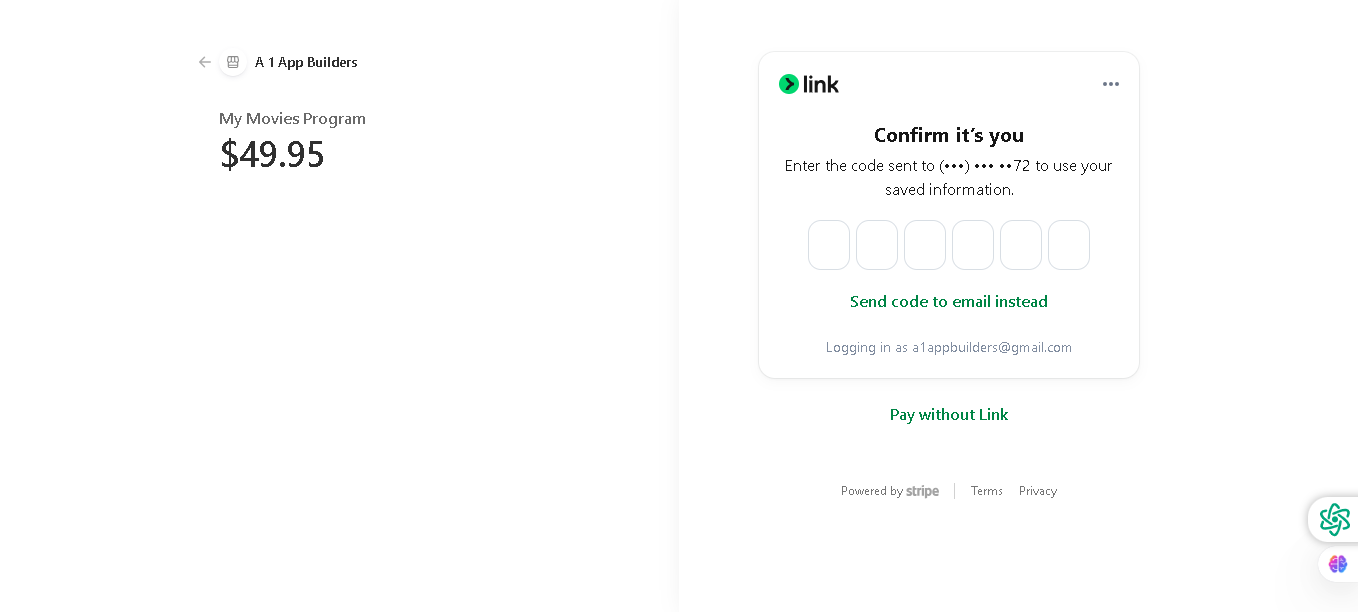
Welcome to the A1 App Builders Payment Verification Page—a secure authentication interface that confirms customer identity during the payment process. This page integrates Stripe Link technology to streamline checkout verification while maintaining security through one-time code authentication, allowing customers to complete transactions with saved payment information.
The layout features a clean, minimalist design with clear verification instructions, code input fields, and flexible payment alternatives that prioritize user security without sacrificing conversion efficiency.
🌟 Key Features:
- Left Panel - Order Summary: A gray sidebar displaying:
- Back arrow for returning to previous checkout steps
- A1 App Builders company branding with logo
- Product being purchased: "My Movies Program"
- Bold price display: "$49.95"
- Clear order context for customer verification
- Right Panel - Verification Interface: A white verification form featuring:
- Stripe Link Logo: Green Link branding indicating trusted payment processor
- More Options Menu: Three-dot menu for additional verification methods
- Header Text: "Confirm it's you" communicates the verification purpose
- Instructions: Clear guidance: "Enter the code sent to (***) •••-••72 to use your saved information."
- Partially Masked Phone Number: Security feature showing last 2 digits for verification
- Code Input Fields: Six individual input boxes for entering verification code:
- Each box accepts a single digit
- Auto-focus functionality moves to next box upon entry
- Clean, bordered design with focus states
- Enables secure one-time password (OTP) entry
- Alternative Verification Link: "Send code to email instead" option provides:
- Flexible delivery method for verification codes
- Accessibility for users without phone access
- Teal blue hyperlink styling for clear interaction
- Account Confirmation: Text displaying "Logging in as a1appbuilders@gmail.com" confirms:
- Customer identity verification
- Account being used for transaction
- Security transparency
- Payment Alternatives: "Pay without Link" hyperlink in teal blue provides:
- Alternative payment pathway for users without Stripe Link account
- Backup option if verification fails
- User choice and flexibility
- Footer Information: Bottom section displays:
- "Powered by Stripe" branding establishing security credentials
- Links to Terms and Privacy policy
- Compliance and trust indicators
- Visual Design: Clean white background, minimalist layout, green Stripe branding, teal hyperlinks, and gray sidebar create a professional, secure appearance that builds payment confidence.
- Security Features: Phone number masking, one-time code entry, multiple verification methods, and Stripe branding communicate data protection and industry-standard security practices.
💡 Why It Works
This verification page balances security requirements with conversion optimization through streamlined design and clear instructions. The order summary on the left maintains transaction context and builds customer confidence that they're completing the correct purchase. The partially masked phone number provides security while confirming the delivery method. The six-digit code input boxes leverage established authentication patterns that users recognize from banking and payment apps. The option to send code to email addresses accessibility concerns and provides a fallback verification method. The "Pay without Link" alternative prevents abandonment for users without Stripe Link accounts. The Stripe branding and privacy links establish trust through third-party security credentials. The minimalist design reduces cognitive load during the critical payment stage, decreasing abandonment risk. This combination of security features, user choice, and streamlined interaction creates a verification experience that protects transactions while maintaining frictionless checkout momentum.
Policy:
All upgrades are free.
This is a try-before-you-buy product; no refunds are issued after purchase.