A1 App Builders
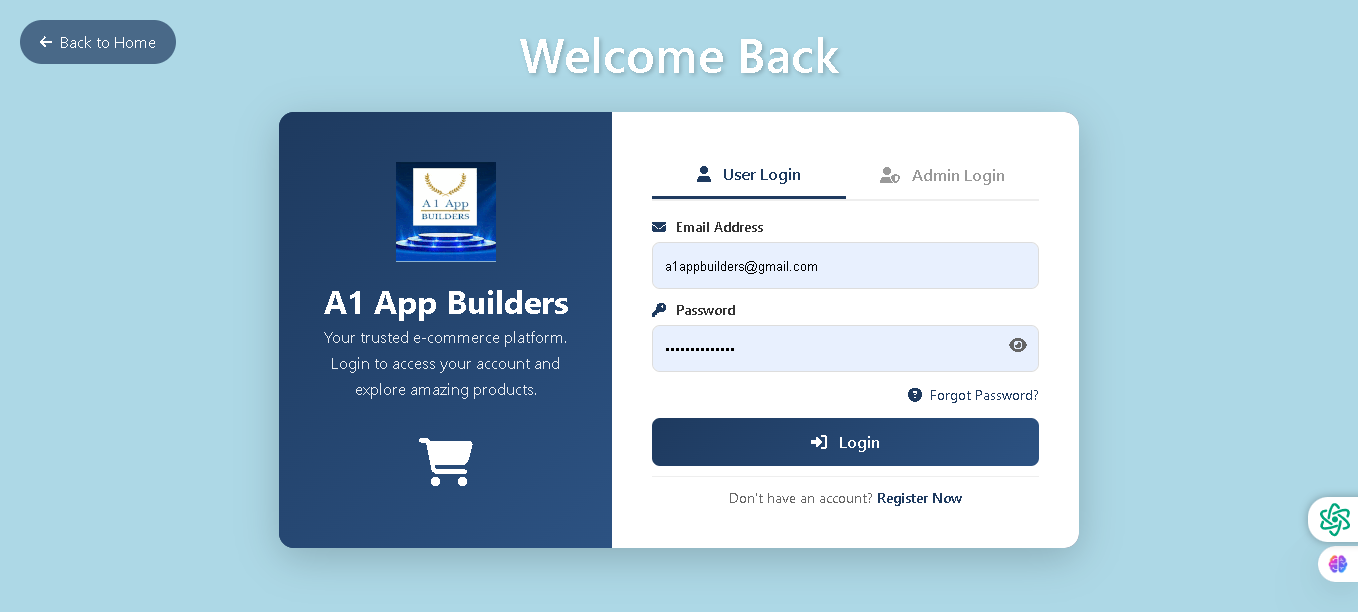
Welcome to the A1 App Builders Login Page—a secure authentication interface that grants users access to their accounts and personalized shopping experiences. This page serves as the primary entry point for returning customers to explore products and manage their orders on the Louis eCommerce platform.
The design features a welcoming dual-panel layout with a light blue background, dark navy branding section, and clean white login form that prioritizes security and ease of access.
🌟 Key Features:
- Navigation Header: A "Back to Home" button in the top-left corner provides quick access to the main storefront.
- Page Title: "Welcome Back" displayed in large white text at the top creates a personalized greeting for returning users.
- Left Panel - Brand Identity: A dark navy blue section showcases:
- A1 App Builders logo with gold accents and blue holographic styling
- Company name in bold white text
- Brand tagline: "Your trusted e-commerce platform. Login to access your account and explore amazing products."
- Shopping cart icon symbolizing commerce and transactions
- Right Panel - Login Interface: A clean white form section with dual login options:
- User Login Tab: Primary active tab for customer account access
- Admin Login Tab: Secondary tab for staff/administrator access
- Login Form Fields: Two essential input fields for secure authentication:
- Email Address: Pre-filled example showing "a1appbuilders@gmail.com"
- Password: Masked secure field with eye icon for visibility toggle
- Account Recovery: A "Forgot Password?" link provides quick access to password reset functionality for locked-out users.
- Call-to-Action Button: A prominent dark blue "Login" button with lock icon drives user authentication and session initiation.
- Registration Link: Text stating "Don't have an account? Register Now" guides new users to the signup page and captures potential customers.
- Security Features: Eye icons on password fields, masked password display, and clean form design reinforce trust and security.
- Visual Hierarchy: Light blue background, dark navy left panel, white form panel, and dark blue buttons create clear visual flow and focus.
💡 Why It Works
This login page balances security with user convenience through minimalist form design and clear authentication pathways. The dual-tab interface (User/Admin) accommodates different user roles without cluttering the interface. The "Forgot Password?" and "Register Now" links address common user needs and prevent support burden. The professional branding on the left panel reinforces trust and platform credibility. The simple two-field form reduces login friction while the password visibility toggle enhances user confidence. This streamlined approach maximizes successful authentication rates while maintaining enterprise-level security standards.
Policy:
All upgrades are free.
This is a try-before-you-buy product; no refunds are issued after purchase.