A 1 App Builders
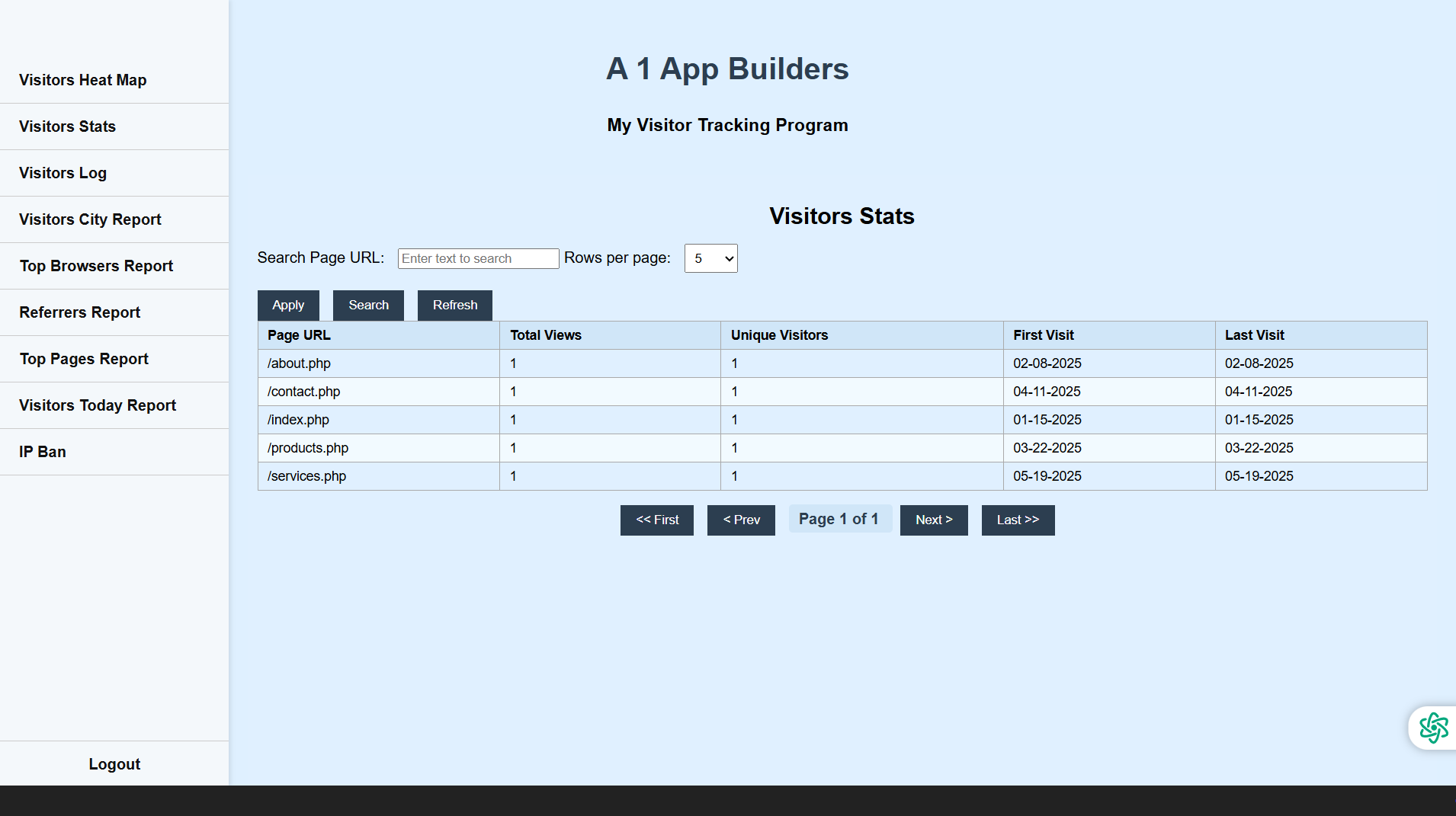
📊 Visitor Stats – Know Who’s Coming and Going
The Visitor Stats page gives you a detailed breakdown of your website traffic in plain English. Instead of vague numbers, you get real-time insights into how many people visited your site, where they came from, what pages they viewed, and how long they stayed.
🔎 Grouped by IP or Visitor ID
Each visitor is uniquely grouped using their IP address or assigned visitor ID. This makes it easy to follow a user’s path across multiple pages. Entries are organized and numbered (1, 2, 3...) so you can instantly spot return visits and track navigation habits.
🗓️ Filter by Date Range
Use the calendar form to narrow your stats down to a specific day, week, or month. Perfect for analyzing traffic surges, comparing weekday vs. weekend visitors, or auditing the results of a marketing push.
📍 See Location Data at a Glance
Each visit is tagged with geolocation info like city, state, and region—pulled directly from the IP address. This helps you understand where your audience is coming from and which regions are most active.
🎨 Clean Layout, Easy Reading
All data is displayed on a white table with alternating row colors, clear fonts, and spacing that keeps everything easy on the eyes. Whether you're reading one row or skimming a hundred, you'll find what you need fast.
🔁 Refresh on Demand
Just tap the “Refresh” button to reload the data. It’s perfect when you’ve just run a test or updated your site and want to confirm activity in real-time.
🧠 Built for Efficiency
No login needed, no fluff. This page loads directly and gives admins a powerful overview without digging through logs. Whether you're hunting bots, measuring trends, or just curious about today's activity—Visitor Stats lays it all out.
Policy:
All upgrades are free.
This is a try-before-you-buy product; no refunds are issued after purchase.