A 1 App Builders
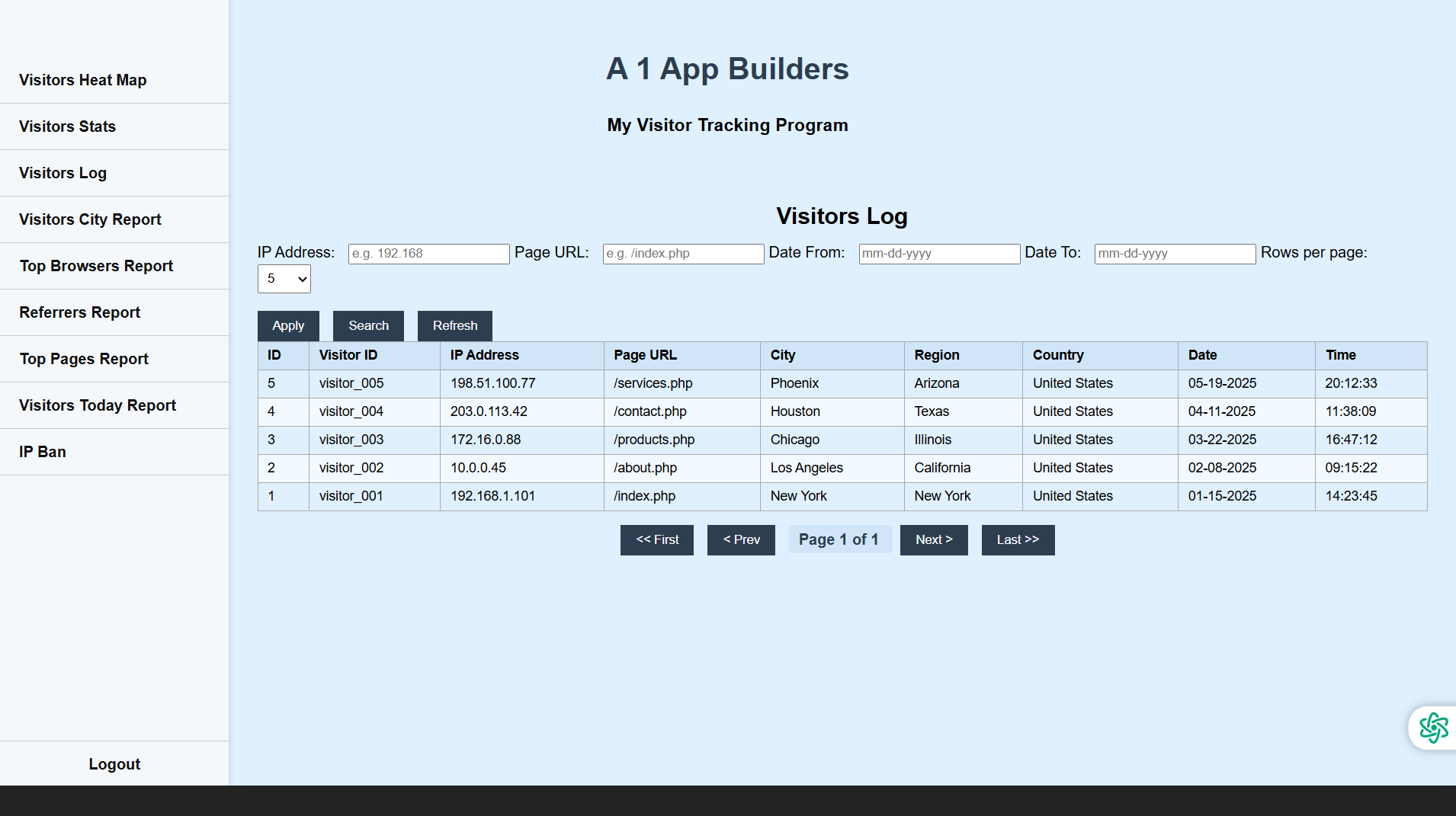
📋 Visitor Log – Full Breakdown of Each Visit
This section gives you a precise, row-by-row log of every page your visitors landed on. Each entry is timestamped and sorted, showing you not just who visited, but exactly what they viewed and when they did it.
🔍 Built-In Search Tools
A simple search box at the top lets you filter the results instantly by keyword, IP address, page name, or other key data. Whether you're hunting down a specific visitor session or just browsing by page, the system is quick and responsive.
📆 Date Filtering
The calendar feature lets you narrow down the log by specific dates or a range of days. This makes it easy to review activity from a particular event, campaign, or timeframe.
📄 Per Page Control
You can control how many entries appear on the page—whether it’s 10, 25, 50, or 100—letting you customize the log to match your preference or screen space. For larger sites, this keeps things manageable and fast-loading.
⬅️➡️ Page Navigation
Use the Previous and Next buttons to scroll through the log. Even with thousands of visits logged, the interface stays snappy and easy to browse.
🖼️ Visual Indicators
Alongside the text entries, small icons or images may appear to represent the content type or source—adding a helpful visual cue for quick scanning.
🔗 Real-Time Accuracy
As visitors move through your site, their actions are logged in real-time. This live updating gives you an always-current look at how your content is being explored and how users are navigating from page to page.
📊 Perfect for Troubleshooting and Optimization
Whether you're tracking bounce rates, testing new content, or checking what brought someone in, this detailed log offers all the evidence you need to improve your site's performance, engagement, and flow.
Policy:
All upgrades are free.
This is a try-before-you-buy product; no refunds are issued after purchase.